Derp的Dockerfile

1
2
3
4
5
6
7
8
9
10
11
12
13
14
15
16
17
18
19
20
21
22
23
24
25
26
27
28
29
30
31
32
33
34
35
FROM golang:latest AS builder

WORKDIR /app

# https://tailscale.com/kb/1118/custom-derp-servers/
RUN go install tailscale.com/cmd/derper@main

FROM ubuntu
WORKDIR /app

ARG DEBIAN_FRONTEND=chcgolang

RUN apt-get update && \
apt-get install -y --no-install-recommends apt-utils && \
apt-get install -y ca-certificates && \
mkdir /app/certs

ENV DERP_DOMAIN your-hostname.com
ENV DERP_CERT_MODE letsencrypt
ENV DERP_CERT_DIR /app/certs
ENV DERP_ADDR :443
ENV DERP_STUN true
ENV DERP_HTTP_PORT 80
ENV DERP_VERIFY_CLIENTS false

COPY --from=builder /go/bin/derper .

CMD /app/derper --hostname=$DERP_DOMAIN \
--certmode=$DERP_CERT_MODE \
--certdir=$DERP_CERT_DIR \
--a=$DERP_ADDR \
--stun=$DERP_STUN \
--http-port=$DERP_HTTP_PORT \
--verify-clients=$DERP_VERIFY_CLIENTS

环境信息

名称
域名 derp.test.com
服务器IP 101.123.123.123
域名证书存储目录 /opt/nginx/ssl/derp.test.com
derper的https端口 33445(TCP)
derper的http端口 33446
服务器内网ip 192.168.1.66
derper的STUN端口 3478(TCP/UDP)
防火墙开启https端口和stun的端口

Dcoker部署

1
2
3
4
5
6
7
8
9
docker run --restart always \
--name derper --network=host \
-v /opt/nginx/ssl/derp.test.com:/app/certs \
-e DERP_CERT_MODE=manual \
-e DERP_ADDR=:33445 \
-e DERP_HTTP_PORT=33446 \
-e DERP_DOMAIN=derp.test.com \
-e DERP_VERIFY_CLIENTS=false \
-d chcgolang/derper:latest

参数说明

参数 说明
DERP_CERT_MODE 证书模式:manual,letsencrypt
DERP_ADDR 服务器HTTP/HTTPS侦听地址,格式为 “: port”,默认(:443)
DERP_HTTP_PORT HTTP提供服务的端口,-1为禁用,默认:80
DERP_DOMAIN 域名
DERP_VERIFY_CLIENTS 是否开启DERP 服务器校验
/app/certs 证书位置,格式为:(derp.test.com.crt,derp.test.com.key)

修改tailscale配置

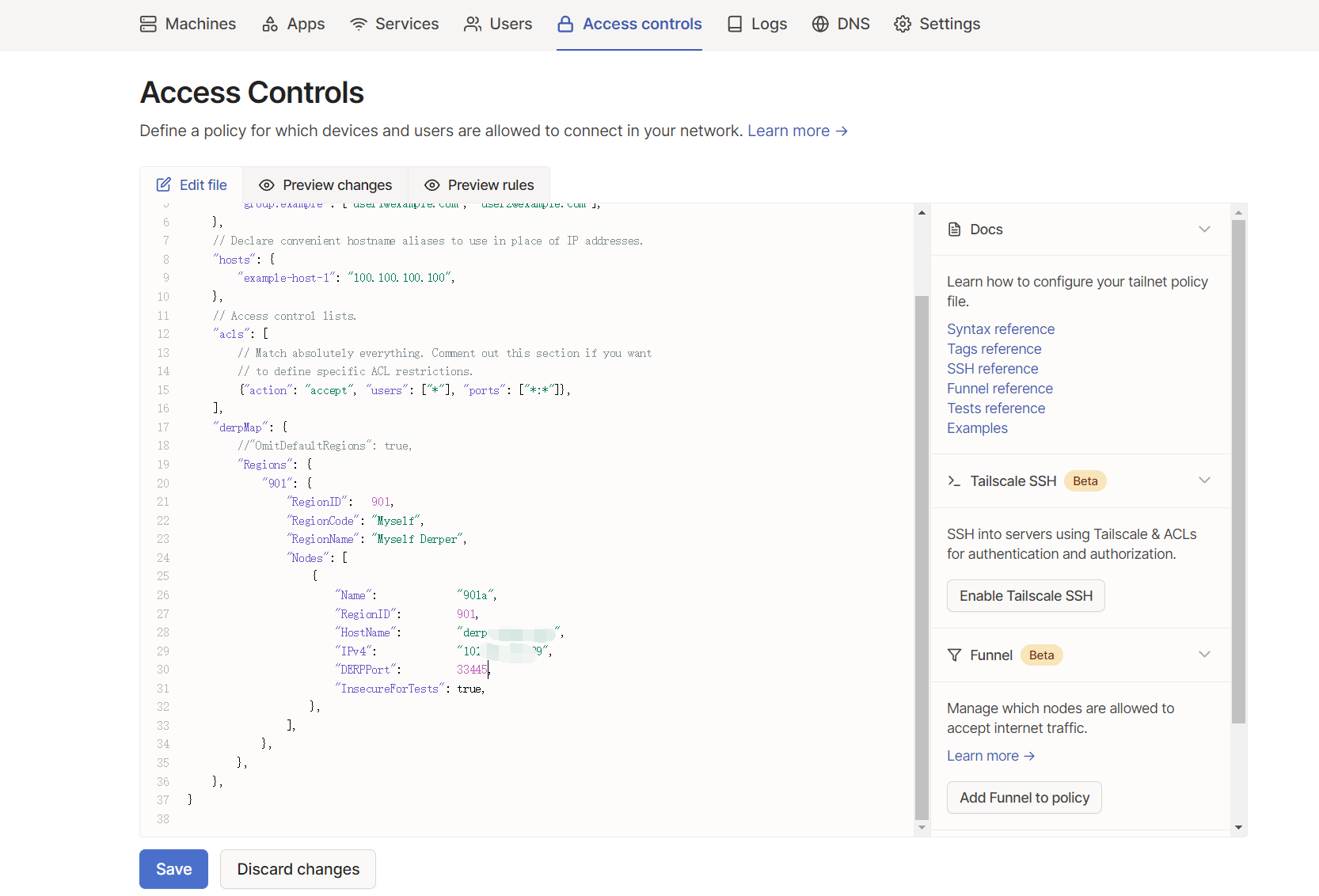
添加配置

1
2
3
4
5
6
7
8
9
10
11
12
13
14
15
16
17
18
19
20
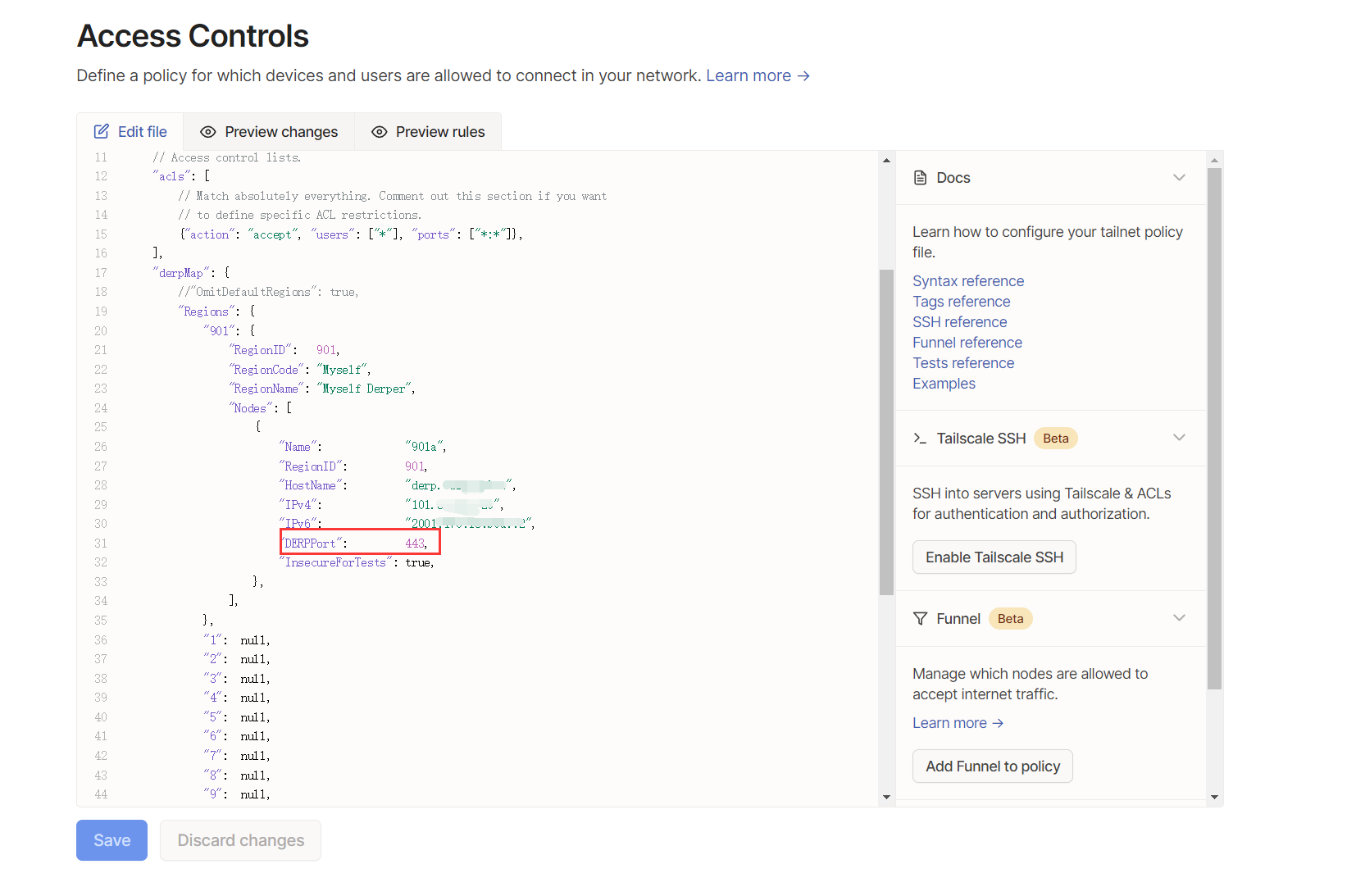
"derpMap": {
//"OmitDefaultRegions": true,
"Regions": {
"901": {
"RegionID": 901,
"RegionCode": "Myself",
"RegionName": "Myself Derper",
"Nodes": [
{
"Name": "901a",
"RegionID": 901,
"HostName": "derp.test.com",
"IPv4": "101.123.123.123",
"DERPPort": 33445,
"InsecureForTests": true,
},
],
},
},
},

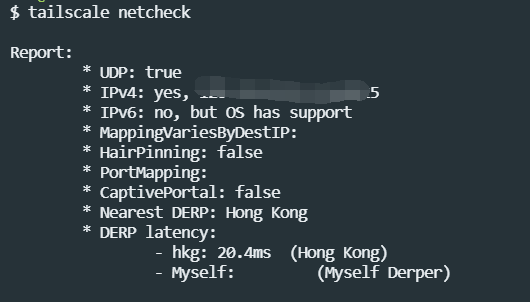
查看配置生效情况

1
tailscale netcheck

防止 DERP 被白嫖

默认情况下 DERP 服务器是可以被白嫖的,只要别人知道了你的 DERP 服务器的地址和端口,就可以为他所用。如果你的服务器是个小水管,用的人多了可能会把你撑爆,因此我们需要修改配置来防止被白嫖。

特别声明:只有使用域名的方式才可以通过认证防止被白嫖,使用纯 IP 的方式无法防白嫖,你只能小心翼翼地隐藏好你的 IP 和端口,不能让别人知道。

在 DERP 服务器上安装 Tailscale

1
curl -fsSL https://tailscale.com/install.sh | sh

将Tailscale加入
点击链接授权加入

1
tailscale up

Docker部署命令变更

1
2
3
4
5
6
7
8
9
10
docker run --restart always \
--name derper --network=host \
-v /var/run/tailscale/tailscaled.sock:/var/run/tailscale/tailscaled.sock \
-v /opt/nginx/ssl/derp.test.com:/app/certs \
-e DERP_CERT_MODE=manual \
-e DERP_ADDR=:33445 \
-e DERP_HTTP_PORT=33446 \
-e DERP_DOMAIN=derp.test.com \
-e DERP_VERIFY_CLIENTS=true \
-d chcgolang/derper:latest

添加磁盘挂载:-v /var/run/tailscale/tailscaled.sock:/var/run/tailscale/tailscaled.sock
DERP 服务器校验开启:DERP_VERIFY_CLIENTS=true

使用指定的tailscale公共服务

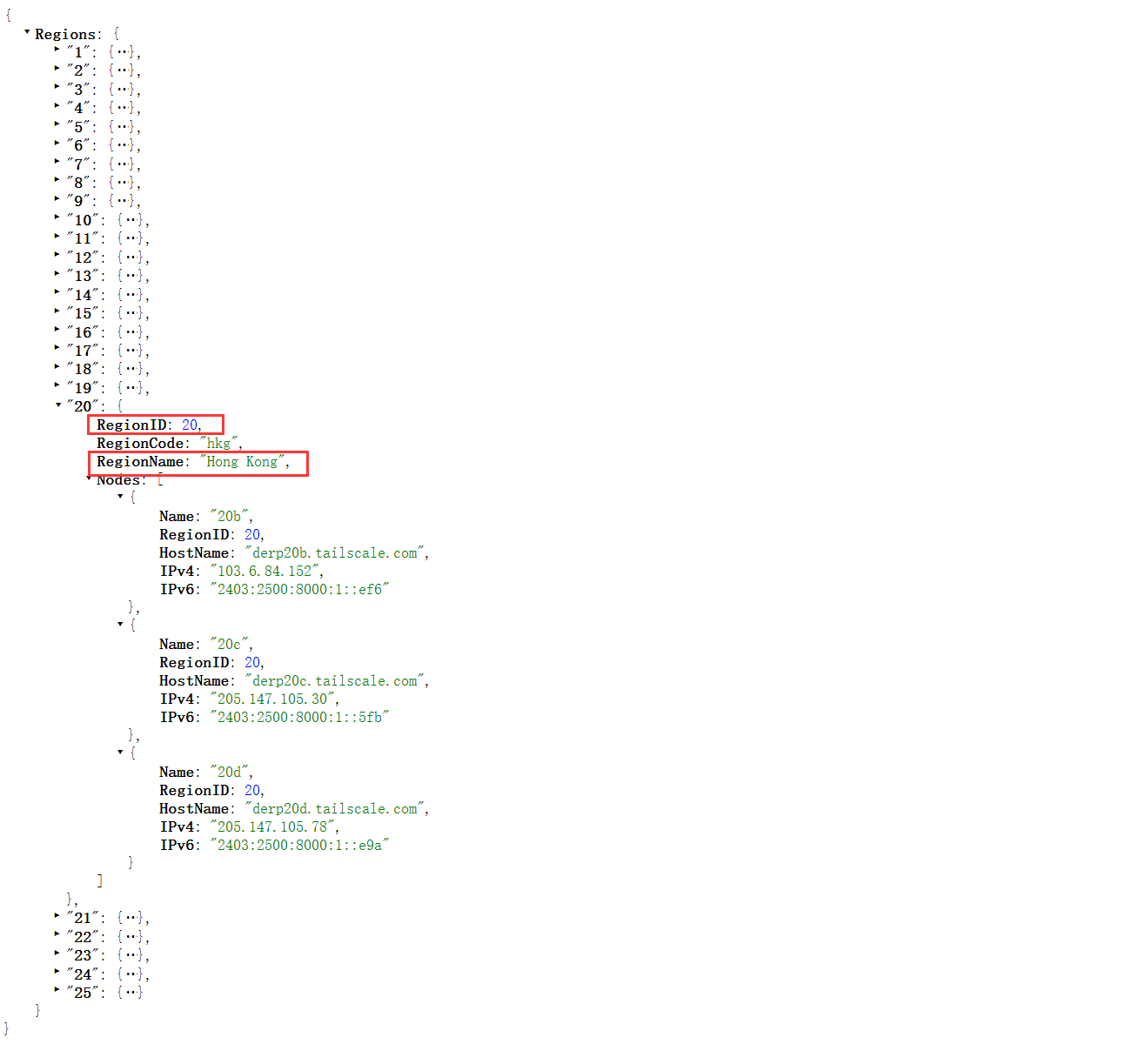
  1. 查看公共服务
    1
    curl https://login.tailscale.com/derpmap/default
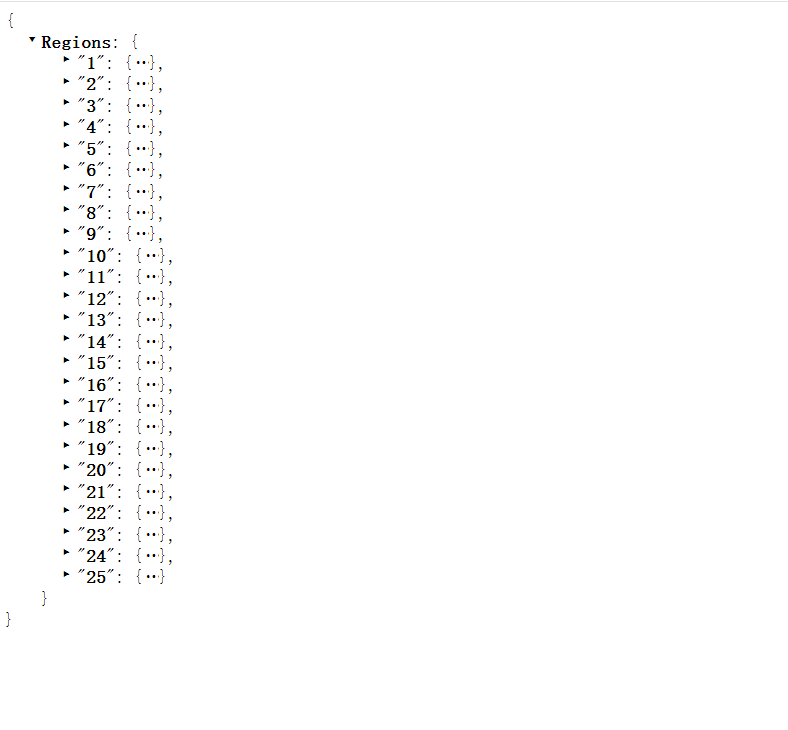
    总共有25个地区的公共服务
  2. 配置生效的服务,例如香港的服务

香港公共服务id是20

  1. 修改配置
    1
    2
    3
    4
    5
    6
    7
    8
    9
    10
    11
    12
    13
    14
    15
    16
    17
    18
    19
    20
    21
    22
    23
    24
    25
    26
    27
    28
    29
    30
    31
    32
    33
    34
    35
    36
    37
    38
    39
    40
    41
    42
    43
    44
    45
    "derpMap": {
    //"OmitDefaultRegions": true,
    "Regions": {
    "901": {
    "RegionID": 901,
    "RegionCode": "Myself",
    "RegionName": "Myself Derper",
    "Nodes": [
    {
    "Name": "901a",
    "RegionID": 901,
    "HostName": "derper.abc.com",
    "IPv4": "101.123.123.123",
    "DERPPort": 33445,
    "InsecureForTests": true,
    },
    ],
    },
    "1": null,
    "2": null,
    "3": null,
    "4": null,
    "5": null,
    "6": null,
    "7": null,
    "8": null,
    "9": null,
    "10": null,
    "11": null,
    "12": null,
    "13": null,
    "14": null,
    "15": null,
    "16": null,
    "17": null,
    "18": null,
    "19": null,
    //"20": null,
    "21": null,
    "22": null,
    "23": null,
    "24": null,
    "25": null,
    },
    },
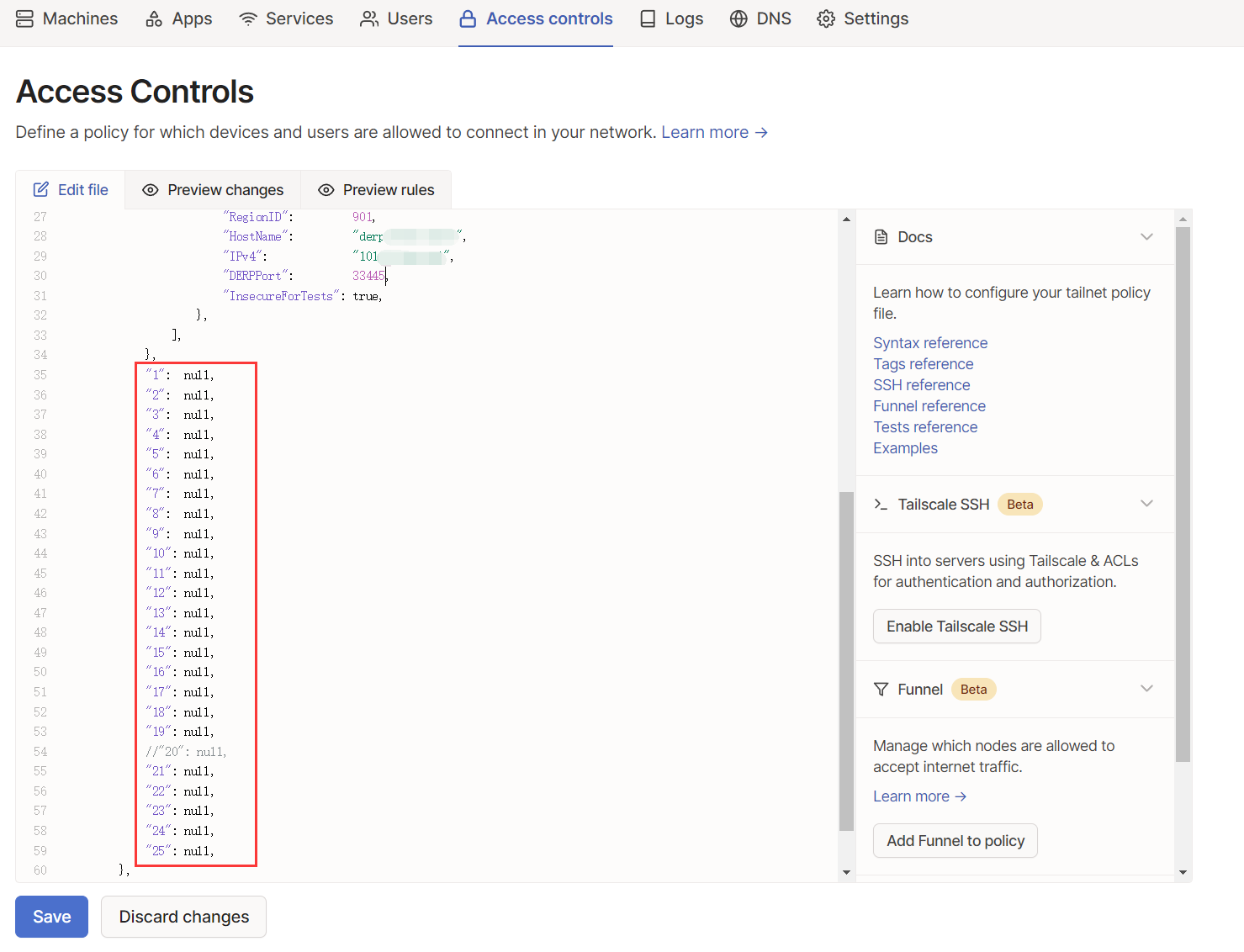
检查配置生效状态: tailscale netcheck

配置服务器支持IPV6

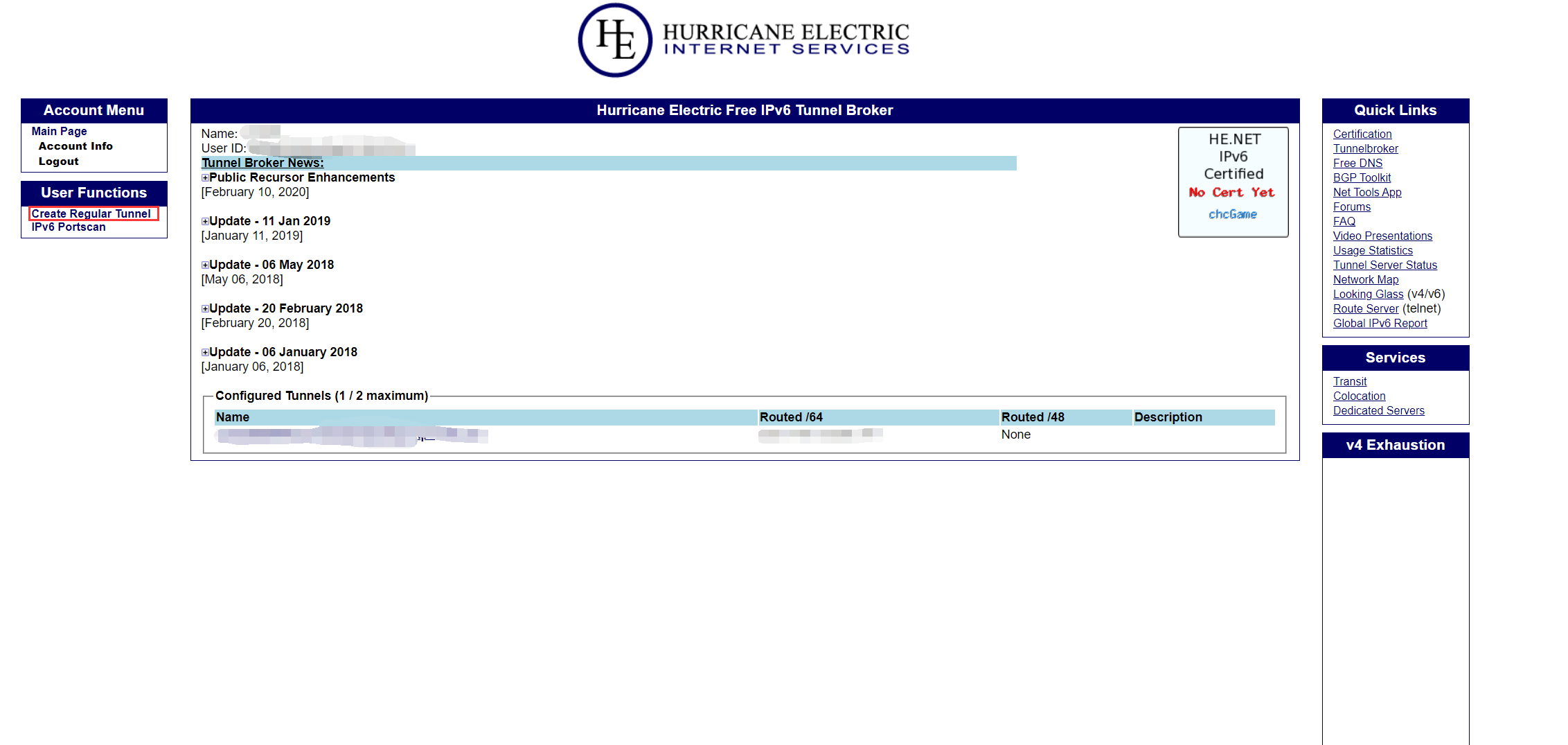
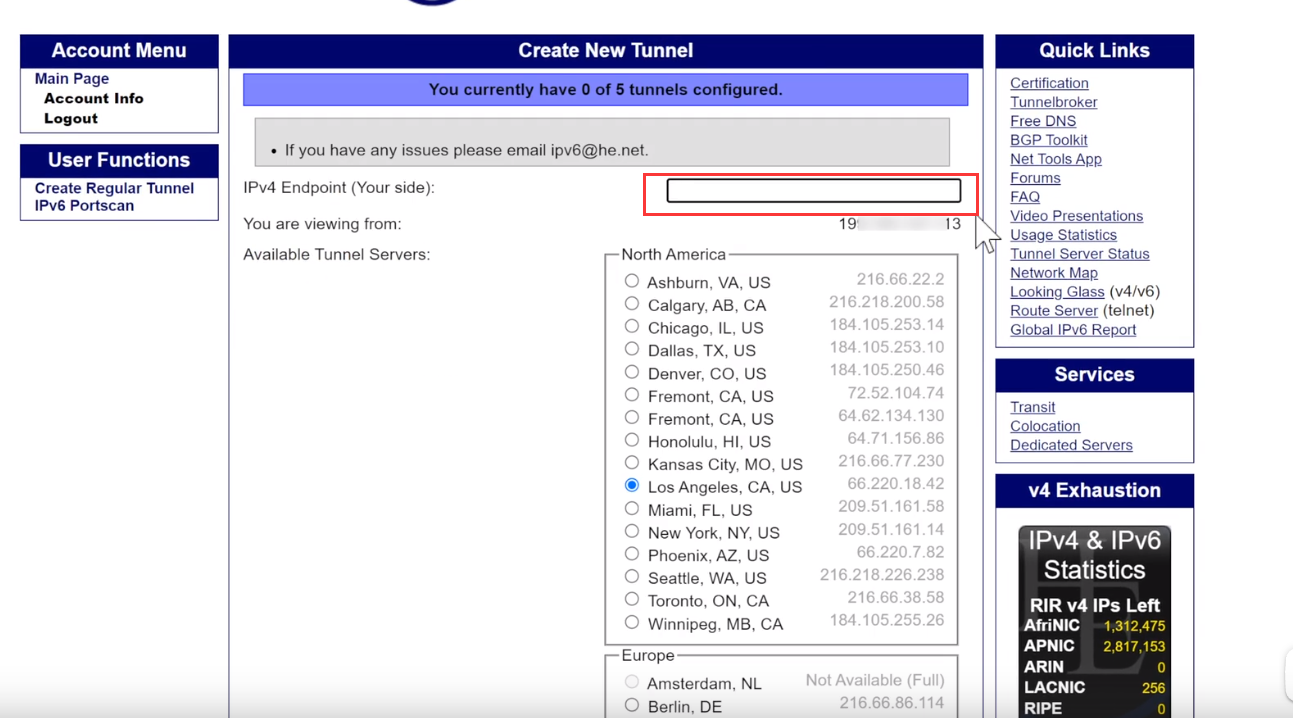
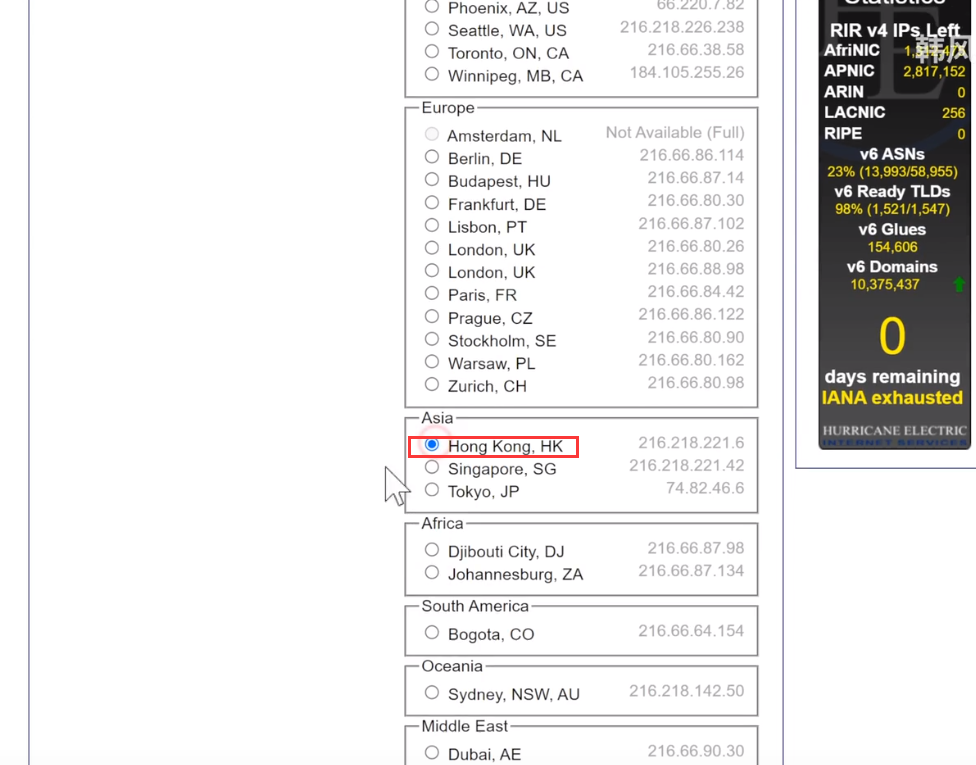
  1. 登录网站https://tunnelbroker.net/ 点击Create Regular Tunnel
  2. 输入服务器IP地址,选择Hong Kong

配置服务ipv6隧道

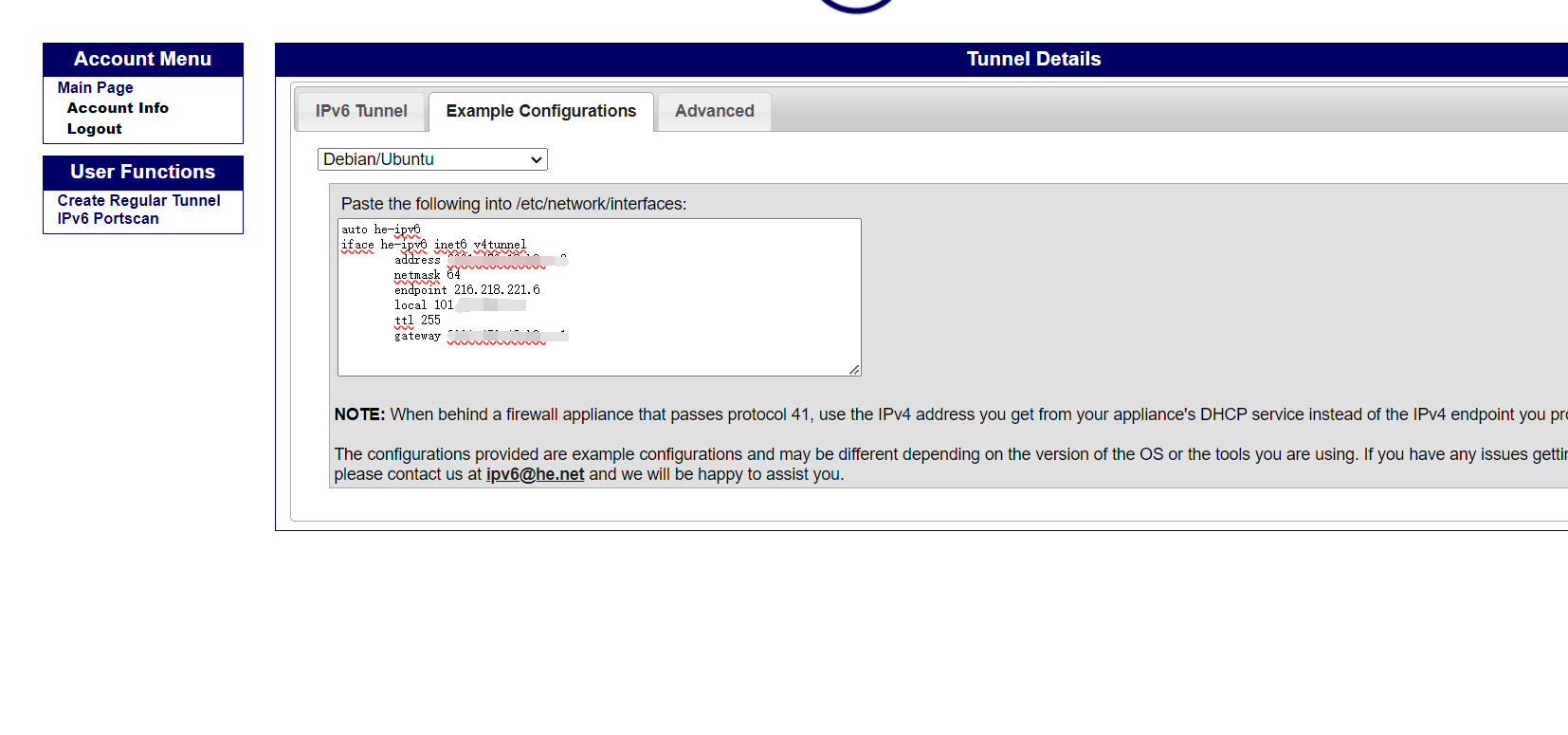
隧道配置

local改成内网IP

1
2
3
4
5
6
7
8
auto he-ipv6
iface he-ipv6 inet6 v4tunnel
address 2001:1231:12:c8a::2
netmask 64
endpoint 216.218.221.6
local 192.168.1.66
ttl 255
gateway 2001:470:18:c8a::1

修改服务器配置文件

1
vim /etc/network/interfaces

添加后的内容

1
2
3
4
5
6
7
8
9
10
11
12
13
14
15
16
17
18
19
20
21
# This file describes the network interfaces available on your system
# and how to activate them. For more information, see interfaces(5).

source /etc/network/interfaces.d/*

# The loopback network interface
auto lo
iface lo inet loopback

# The primary network interface
auto eth0
iface eth0 inet dhcp
# 添加的内容
auto he-ipv6
iface he-ipv6 inet6 v4tunnel
address 2001:1231:12:c8a::2
netmask 64
endpoint 216.218.221.6
local 192.168.1.66
ttl 255
gateway 2001:470:18:c8a::1

重启

1
reboot

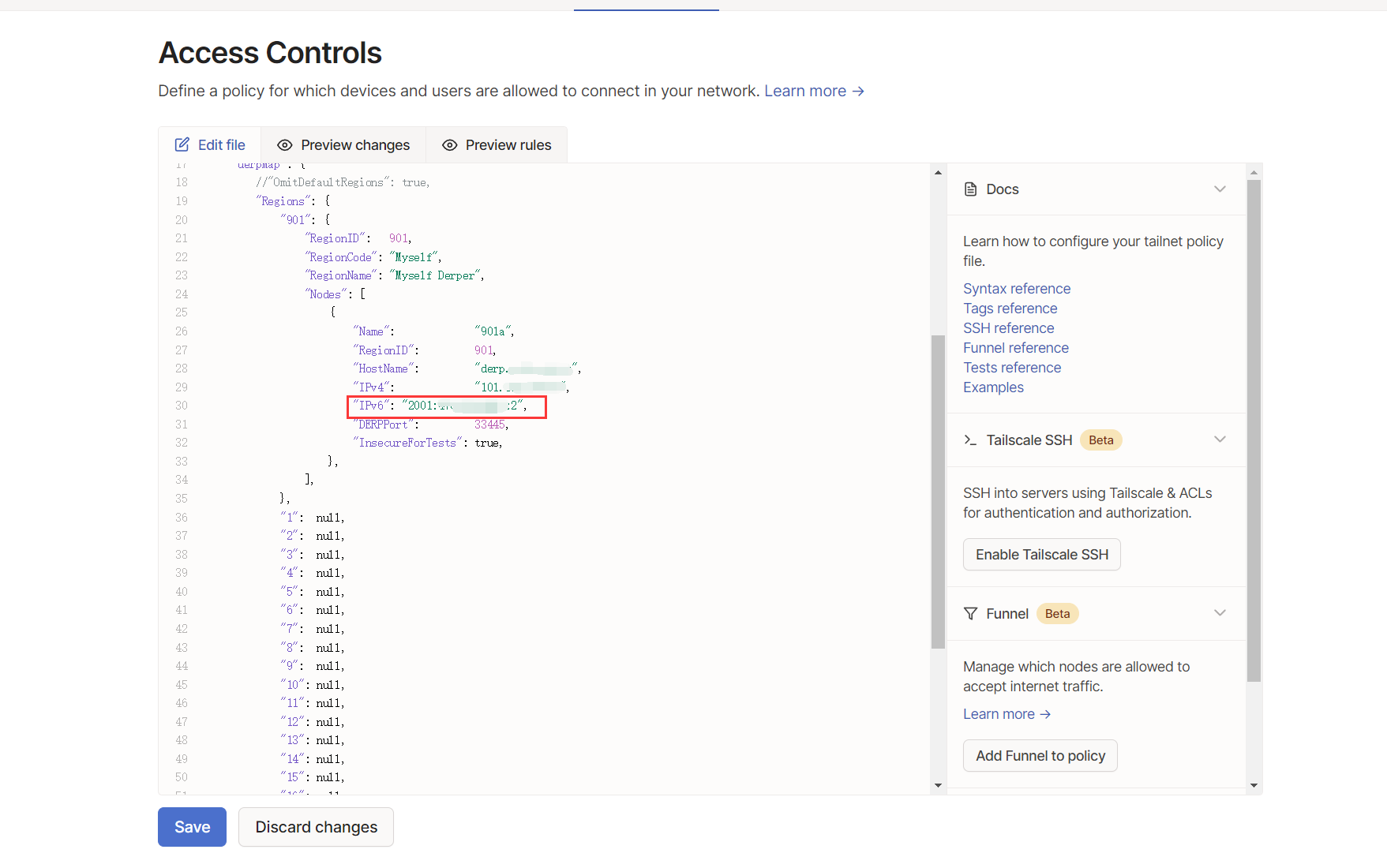
修改Tailscale配置

配置与nginx共享443端口

修改nginx配置

1
2
3
4
5
6
7
8
9
10
11
12
13
14
15
16
17
18
19
20
21
22
23
24
25
26
stream {
log_format main '$remote_addr [$time_local] '
'$protocol $status $bytes_sent $bytes_received '
'$session_time "$upstream_addr" '
'"$upstream_bytes_sent" "$upstream_bytes_received" "$upstream_connect_time"';
access_log /var/log/nginx/stream_access.log main;
open_log_file_cache off;
map $ssl_preread_server_name $backend_name {
derper.abc.com derper ;
# 域名都不匹配情况下的默认值,转发到http模块的ssl端口
default web;
}
upstream web {
server 127.0.0.1:4443;
}
upstream derper {
server 127.0.0.1:33445;
}
server {
listen 443 reuseport;
listen [::]:443 reuseport;
proxy_pass $backend_name;
ssl_preread on; # 开启 ssl_preread
}
}

修改Tailscale配置